
Download SawalAI – AI Chatbot Builder, No‑Code, Omnichannel Support
Overview
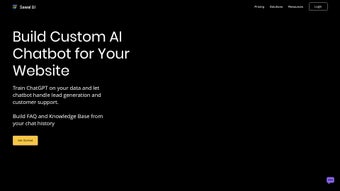
SawalAI is a cloud‑based, AI‑powered chatbot creation platform that lets businesses automate customer support, capture leads, and deliver a consistent brand voice across every digital touchpoint. Built on a state‑of‑the‑art large‑language‑model engine, the service lets you train a conversational agent with your own product catalogs, FAQ documents, and historic chat logs—without writing a single line of code. The result is a highly responsive, brand‑consistent virtual assistant that can answer pre‑sales questions, suggest relevant products, collect visitor contact details, and seamlessly hand over complex issues to human agents when needed.
What truly differentiates SawalAI from other chatbot builders is its omnichannel capability. Once the bot is configured, it can be deployed on a website widget, Slack workspace, WhatsApp Business account, phone IVR system, or even Gmail for automatic email drafting. Integrations with Zapier, Slack, Twilio, and dozens of other SaaS tools enable workflow triggers such as creating a new CRM lead the moment a visitor asks for a quote, updating a spreadsheet, or sending a follow‑up email.
Because the bot learns from every interaction, it continuously expands its knowledge base, turning raw chat history into a structured, searchable FAQ that can be reused by marketing, support, and sales teams.
Whether you run an e‑commerce store, a SaaS platform, a healthcare service, or any other online‑focused business, SawalAI’s flexible architecture adapts to industry‑specific terminology and branding guidelines. The platform offers a visual editor for theme customization, multi‑language support for over 20 languages, and real‑time analytics that reveal which questions drive conversions and where bottlenecks remain.
In short, SawalAI delivers a secure, scalable, and cost‑effective solution for businesses that want to reduce support overhead while improving the visitor experience and boosting revenue.
Key Features & Benefits
- No‑Code Bot Builder: Drag‑and‑drop interface lets you create a functional chatbot in minutes after uploading your content.
- Custom Knowledge Base: Train the AI with product catalogs, policy documents, and previous chat logs to generate accurate answers.
- Omnichannel Deployment: Publish the bot on websites, Slack, WhatsApp, phone/IVR, and Gmail with a single configuration.
- Lead Capture & Qualification: Automatic collection of visitor email, phone, and intent signals, feeding directly into your CRM.
- Seamless Human Handover: Real‑time transfer to live agents with full chat history visible, preserving context.
- Zapier & API Integrations: Connect to over 3,000 apps for workflow automation, such as creating tickets, updating spreadsheets, or triggering marketing emails.
- Brand‑Consistent UI: Customize colors, fonts, and avatar to match your corporate identity across all channels.
- Analytics Dashboard: Track conversation volume, conversion rates, and unanswered queries to continuously improve performance.
- Multi‑Language Support: Built‑in translation engine lets the bot converse in more than 20 languages.
- Secure & GDPR‑Compliant: End‑to‑end encryption, data residency options, and consent management tools keep user data safe.
These features translate into tangible business benefits. By automating routine inquiries—such as order status, pricing, and product specifications—support teams can focus on high‑value interactions, reducing average handling time by up to 45 %. The lead generation module captures contact information the moment a visitor expresses buying intent, shortening the sales funnel and increasing conversion rates.
Moreover, the ability to export chat transcripts into a structured FAQ saves countless hours of manual documentation, turning every conversation into a reusable knowledge asset. For marketers, the real‑time analytics provide insight into the most searched product features, enabling data‑driven content creation and ad targeting. In environments where brand voice consistency is critical, SawalAI’s theme editor ensures that every automated response feels authentically yours, reinforcing trust across all touchpoints.
The combination of AI‑driven accuracy, omnichannel reach, and deep integrations makes SawalAI a compelling choice for any organization looking to modernize its customer engagement strategy.
Installation, Setup & Compatibility
Step‑by‑Step Deployment
Getting SawalAI up and running is intentionally straightforward. Follow these steps for a hassle‑free launch:
- Create an Account: Visit the official SawalAI website, click “Sign Up,” and verify your email. The free tier offers 5,000 interactions per month, enough for small‑business testing.
- Upload Your Content: Use the “Content Library” to import product catalogs, PDF manuals, or CSV lists of FAQs. The platform automatically parses the data and suggests intent categories.
- Train the Bot: Run the built‑in training wizard. Choose the language model size (standard or premium) and let the AI ingest your data. Training typically completes within 10‑15 minutes for average datasets.
- Design the Conversational Flow: Drag conversation blocks onto the canvas. Add welcome messages, quick‑reply buttons, and conditional logic (e.g., “If user selects ‘Pricing’, show tiered options”).
- Configure Omnichannel Channels: Navigate to the “Deploy” tab. For a website widget, copy the generated JavaScript snippet and paste it into your site’s footer. For Slack, generate a webhook URL and add it as a bot integration. For WhatsApp, follow the two‑step verification process provided by SawalAI.
- Integrate with Third‑Party Tools: Enable Zapier, select the “New Lead” trigger, and map fields to your CRM (e.g., HubSpot, Salesforce). For phone/IVR, provision a virtual number through Twilio and link it in the “Phone” section.
- Test & Publish: Use the built‑in simulator to run sample conversations. Adjust responses, refine intents, and when satisfied, toggle the bot to “Live.”
System Requirements & Operating System Compatibility
SawalAI is a fully cloud‑hosted SaaS solution, which means there is no local software to install on Windows, macOS, Linux, Android, or iOS devices. All you need is a modern web browser (Chrome, Edge, Firefox, Safari) with JavaScript enabled. For mobile‑first deployments, the platform automatically renders a responsive chat widget that adapts to any screen size. If you choose to embed the bot within a native mobile app, SawalAI provides SDKs for both Android (Java/Kotlin) and iOS (Swift) that can be added via Gradle or CocoaPods respectively. The APIs are REST‑ful and support JSON over HTTPS, ensuring seamless integration with any backend stack.
Because the service runs on secure AWS data centers, you benefit from 99.9 % uptime, automatic scaling during traffic spikes, and regular security patches without any maintenance on your part. In short, the only “installation” required is embedding a tiny snippet of code or configuring an integration—making SawalAI one of the most low‑maintenance chatbot solutions on the market.
Pros, Cons & Frequently Asked Questions
Pros
- Zero‑code setup—anyone can build a functional chatbot in under an hour.
- True omnichannel presence across web, Slack, WhatsApp, phone, and email.
- Powerful AI training that learns from your own data, reducing irrelevant answers.
- Rich integrations with Zapier, Slack, and Twilio for automated workflows.
- Built‑in analytics and FAQ generation turn conversations into actionable insights.
- GDPR‑compliant data handling and end‑to‑end encryption for peace of mind.
Cons
- Advanced customization (e.g., complex conditional logic) may require a learning curve.
- Higher‑tier pricing for large‑scale interaction volumes can be pricey for startups.
- Limited offline support; the bot requires an internet connection to function.
- While the no‑code builder is robust, deep API customizations still need developer resources.
FAQ
Can I use SawalAI for multiple websites under the same account?
Yes. The platform supports unlimited bots per subscription tier. Each bot can be linked to a distinct domain or sub‑domain, allowing you to manage all your digital properties from a single dashboard.
How does SawalAI handle user data and privacy?
All conversations are stored in encrypted databases hosted on AWS. You can enable GDPR consent prompts, set data retention policies, and export raw logs at any time. SawalAI is fully compliant with GDPR, CCPA, and ISO‑27001 standards.
Is there a free trial, and what limits does it have?
SawalAI offers a 14‑day free trial with 10,000 interactions, access to all integrations, and unlimited bot creation. After the trial, you can switch to the free tier (5,000 interactions per month) or upgrade to a paid plan.
Can the chatbot be trained in languages other than English?
Absolutely. SawalAI’s language model supports over 20 languages, including Spanish, French, German, Mandarin, and Arabic. You simply upload multilingual content, and the AI will automatically detect and respond in the appropriate language.
How do I hand over a conversation to a live agent?
Within the bot builder, you can enable “Human Handoff” on any intent. When triggered, the system routes the chat to your chosen support channel (e.g., Slack, Zendesk) while preserving the entire conversation history, so the agent picks up with full context.
Conclusion & Call to Action
SawalAI packs a powerful AI engine, omnichannel reach, and a truly no‑code experience into a single, secure platform. For businesses eager to cut support costs, accelerate lead capture, and turn every visitor interaction into a data‑rich asset, SawalAI delivers measurable ROI within weeks of deployment. The intuitive visual builder means even non‑technical staff can launch a bot, while the deep integration ecosystem ensures the chatbot becomes a central hub for your existing workflows.
While the learning curve for advanced customizations and the price of high‑volume plans may be considerations, the overall value proposition—especially the ability to generate a living FAQ from real conversations—makes it a standout choice in the crowded chatbot market.
In today’s fast‑paced digital environment, customers expect instant, accurate answers across any channel they choose. SawalAI not only meets those expectations but also equips your team with actionable insights that drive continuous improvement.
The combination of AI‑driven accuracy, robust analytics, and GDPR‑compliant security creates a trustworthy environment for both your brand and your users.
Ready to transform your customer service and boost conversions? Download SawalAI now, start your free trial, and watch your support team become more efficient while your sales pipeline fills faster than ever.



.png)



